
How to Automate Your Finances in the Philippines: A Step-by-Step Guide
Learn how to automate your finances in the Philippines step by step. Build an automatic savings, bill payment, and investment system today.
Mastering Financial Automation in the Philippines: Save, Pay, and Invest Automatically
Managing personal finances manually in the Philippines can quickly become an exhausting monthly chore. Between juggling physical bill payments at payment centers, tracking transfer fees across different digital wallets, and remembering to move money into a savings account after payday, financial management often feels like a second full-time job. Many Filipinos start the month with good intentions to save and invest, only to discover at the end of the month that unexpected daily expenses have consumed their remaining income.
Automating your finances fundamentally changes your relationship with money. Instead of relying on willpower and memory, financial automation creates a self-executing system where your income is automatically routed to your savings, bill payments, emergency reserves, and investment accounts the moment your salary arrives. By leveraging modern digital banks, auto-debit arrangements, and scheduled electronic transfers available in the local banking ecosystem, you can remove human error and discipline issues from your financial strategy. Building a hands-free financial system ensures that your future financial goals take top priority, allowing you to build wealth consistently without spending hours tracking every peso. 🇵🇭
How to Automate Your Finances in the Philippines
Setting up an automated financial system requires an initial investment of time, but once established, it operates smoothly in the background. Follow this clear, step-by-step guide to put your personal finances in the Philippines on autopilot.
Step 1: Map Your Cash Flow and Financial Accounts
Begin by listing all your income sources, fixed expenses, variable living costs, savings targets, and investment accounts. Categorize your bank accounts to serve specific functions. A practical setup includes a primary income clearing account (where your salary lands), an emergency fund account with high liquidity, a bills payment hub, and dedicated investment accounts. Clear visibility into your cash flow forms the blueprint for your automation rules.
Step 2: Choose Banks and Fintech Apps with Strong Automation Features
Not all Philippine financial institutions offer robust automation tools. Select commercial banks and digital banks that support scheduled fund transfers, recurring auto-debit arrangements (ADA), and automatic bill payments. Major traditional banks such as BDO, BPI, and Metrobank offer scheduled transfer options via their mobile apps, while digital banks like Maya, GoTyme, Tonik, and SeaBank offer high-yield automated savings pockets and scheduled transfer functionalities.
Step 3: Establish an Automated Pay-Yourself-First System
The golden rule of personal finance is to save before you spend. Set up an automatic recurring transfer scheduled for one or two days after your regular payday. Configure this instruction to move a fixed percentage or amount (for example, 10 percent to 20 percent of your salary) directly from your primary payroll account into your high-yield digital bank savings account or emergency fund. Scheduling this transfer immediately after payday ensures you never accidentally spend your savings allocation.
Step 4: Set Up Auto-Debit Arrangements for Recurring Bills
Eliminate late payment penalties by automating your utility, insurance, and subscription payments. Enroll your regular monthly bills, such as Meralco, Maynilad, Manila Water, internet providers (PLDT, Globe, Converge), and credit card payments, into auto-bill-pay features through your bank app or digital wallets like GCash and Maya. For credit cards, link an auto-debit arrangement with your issuing bank to automatically pay the full statement balance on the due date.
Step 5: Automate Your Long-Term Investments and Retirement Contributions
Put your wealth-building strategy on autopilot by scheduling recurring investments. If you invest in mutual funds or Unit Investment Trust Funds (UITFs) through local banks, enroll in their automatic investment plans (such as BPI’s Invest Online or BDO’s Easy Investment Plan). For government-backed programs like the Pag-IBIG MP2 or SSS voluntary contributions, schedule monthly recurring payments via digital banking portals or partner fintech platforms to ensure consistent long-term wealth accumulation.
Step 6: Configure Automated Micro-Savings and Stash Pockets
Take advantage of digital banking features designed to separate your money automatically. Modern digital banks in the Philippines allow users to create customized savings pockets (such as “Travel Fund,” “Annual Insurance,” or “Medical Emergency”). Configure rules that split incoming funds or deposit small, regular amounts into these specialized pockets weekly or monthly, keeping your money organized without manual record-keeping.
Step 7: Conduct a Quarterly Review and Maintenance Check
Automated financial systems require periodic monitoring to run efficiently. Schedule a calendar reminder every three months to review your automated pipelines. Check that scheduled transfers executed properly, verify that bills were billed accurately, adjust recurring amounts to account for salary increments or inflation, and ensure that your primary payroll account maintains a small buffer to prevent overdrafts or failed transfer attempts. 💰
Benefits
- Ensures consistent savings by removing the reliance on daily willpower and memory.
- Completely eliminates late payment fees and service disconnection risks for monthly utilities.
- Saves dozens of hours every year previously spent queuing at payment centers or manually executing app transfers.
- Reduces emotional stress and mental fatigue associated with managing monthly money logistics.
- Accelerates long-term wealth creation through disciplined, uninterrupted dollar-cost averaging into investments.
- Prevents lifestyle inflation by moving savings out of your spending account immediately on payday.
- Provides clear organization of funds across specialized accounts and digital savings pockets.
- Helps establish an emergency fund rapidly without manual effort.
- Improves your credit score by maintaining a flawless track record of on-time bill payments.
- Gives you complete peace of mind knowing your core financial responsibilities are handled automatically.
Costing
Setting up an automated financial system in the Philippines is generally low-cost, as most digital platforms offer free scheduled services. However, a few potential fees and buffer considerations should be factored into your budget.
Most major traditional banks and digital banks do not charge fees for setting up scheduled recurring transfers within the same institution. Cross-bank scheduled transfers executed via InstaPay typically incur a small convenience fee ranging from ₱8 to ₱25 per transaction, depending on the originating bank. Using PESONet for larger scheduled transfers is often cheaper or free, though transfers settle at specified processing windows rather than instantly.
Setting up Auto-Debit Arrangements (ADA) for credit cards, insurance policies, or utility providers with your primary bank is usually free of charge. However, maintain a financial buffer in your checking or payroll account. If an automated debit fails due to insufficient funds, banks may charge an NSF (Non-Sufficient Funds) fee or failed transaction fee ranging from ₱200 to ₱2,000, depending on the bank and account type.
Budget considerations for automation tools include:
- Transaction and Transfer Fees: Allocating ₱50 to ₱200 monthly to cover potential InstaPay transfer fees across different bank networks.
- Account Safety Buffer: Maintaining a permanent buffer of ₱3,000 to ₱5,000 in your primary transaction account to absorb unexpected bill fluctuations and prevent failed auto-debits.
- Premium Financial Tracking Tools (Optional): Budgeting ₱150 to ₱300 per month if you choose to use premium budgeting apps that sync automatically with financial institutions.
Pros and Cons
Pros
- Guarantees that savings and investment goals take top priority every month.
- Minimizes human errors such as forgotten bill due dates or missed investment cycles.
- Builds financial discipline effortlessly for individuals who struggle with impulsive spending.
- Streamlines cash flow tracking through clear, predictable monthly account statements.
- Maximizes compound interest by moving money into high-yield digital bank accounts instantly.
- Works seamlessly with modern Philippine digital banking infrastructure and fintech wallets.
- Allows you to manage multiple savings goals simultaneously using digital bank stash features.
- Encourages long-term investment discipline during market volatility by removing emotional decision-making.
- Reduces physical trips to banks, payment centers, and pawnshops for bill settlement.
- Keeps your personal finances functioning smoothly even while you are busy, traveling, or ill.
Cons
- Requires significant effort, time, and attention to detail during initial setup.
- Can trigger failed transfer fees if your account lacks sufficient buffer funds.
- Creates a potential risk of overspending if you fail to track variable utility bill changes.
- May cause minor inconvenience if your regular payday schedule is variable or freelance-based.
- Requires periodic monitoring to update expired debit or credit card details linked to auto-billings.
- Can make users overly complacent if they stop reviewing individual monthly statements for billing errors.
- Depends on reliable internet connectivity and digital banking app stability for scheduled tasks.
- Bank system maintenance schedules can occasionally delay automated transfer execution times.
- Canceling or altering complex auto-debit arrangements across multiple platforms can require multiple steps.
- May require maintaining multiple bank accounts, increasing the burden of tracking overall balances.
Case Studies
- Corporate Employee Payday Automation: A call center manager in Taguig configured an automatic transfer moving ₱10,000 from her payroll account to a high-yield digital bank account every 15th and 30th of the month. Over two years, she accumulated her full six-month emergency fund without once transferring money manually.
- Freelance Income Smoothing System: A freelance web designer in Cebu with irregular income established a two-tier automation setup. Client payments land in a dedicated business account, which automatically pays him a fixed “salary” to his personal account on the 1st of every month, stabilizing his personal budget.
- Automated Utility Settlement: A young professional in Pasig linked his Meralco, internet, and water bills directly to his credit card’s auto-charge system. By paying his credit card bill automatically via BPI auto-debit, he eliminated late fees completely while earning rewards points.
- Passive MP2 Wealth Accumulation: A nurse working in Quezon City set up a monthly scheduled transfer from his digital bank account to his Pag-IBIG MP2 account. Over five years, his automated tax-free contributions grew significantly without disrupting his daily routine.
- Dollar-Cost Averaging Equity Portfolio: An IT consultant in Makati enrolled in a bank’s automatic investment plan, purchasing ₱5,000 worth of index UITFs on the 5th of every month. This disciplined automation helped her navigate market fluctuations successfully.
- Digital Bank Pocket Separation: A marketing specialist in Davao created three digital “stashes” inside her mobile banking app for “Car Maintenance,” “Vacation,” and “Life Insurance.” Every payday, the app automatically splits ₱6,000 across these pockets, ensuring funds are ready when annual payments arrive.
- Debt Repayments on Autopilot: A bank officer in Mandaluyong automated his personal loan payments using a standing order from his main savings account. This setup ensured he never missed a due date, improving his credit history.
- Micro-Investing for Young Graduates: A fresh graduate in Iloilo set up a weekly automated transfer of ₱500 into an accessible GInvest money market fund. Starting small automatically helped her cultivate an investment mindset early in her career.
- Automated Insurance Premium Funding: A business owner in Angeles City automated monthly transfers into a dedicated sub-account reserved strictly for his family’s quarterly health insurance premiums, eliminating annual scrambling for funds.
- Hands-Free Overseas Remittance Allocation: An OFW returning to the Philippines created an automated distribution system where incoming remittances automatically split into local family allowances, savings, and retirement funds immediately upon arrival.
Key Takeaways
- Financial automation turns passive financial intentions into active, consistent habits.
- Paying yourself first via automated payday transfers is the most reliable way to accumulate savings.
- Modern Philippine digital banks offer powerful tools for automatic savings pockets and high-yield returns.
- Auto-debit arrangements protect your credit standing and eliminate late utility fees completely.
- Maintaining a cash buffer in your primary account prevents failed transaction fees.
- Dollar-cost averaging through automated investment plans reduces market timing risks.
- Automation works for both regular salary earners and freelancers using proper account structuring.
- Periodic reviews ensure your automated system adapts to changing financial goals and income shifts.
- Minimizing manual money transfers reduces emotional spending temptations.
- Building an automated money ecosystem takes a few hours of setup but yields years of financial peace of mind.
Frequently Asked Questions
Is financial automation safe to use with Philippine banks?
Yes. Major commercial banks and digital banks regulated by the Bangko Sentral ng Pilipinas (BSP) use robust encryption and security protocols for scheduled transfers and auto-debit arrangements.
What happens if my account does not have enough money for an automated transfer?
If funds are insufficient, the transfer will fail. Some banks will retry the transfer later, while others may charge a failed transaction or overdraft fee, making a cash buffer essential.
Can I automate my finances if I am a freelancer with irregular income?
Yes. Freelancers can automate by transferring client earnings into a primary holding account, then scheduling a conservative, fixed “monthly salary” transfer to their main operational account.
How do I automate my Pag-IBIG MP2 contributions? You can schedule recurring payments to your MP2 account through online banking portals, digital wallets, or payment platforms that offer recurring bill payment functions.
Which Philippine banks are best for automated financial systems?
BPI, BDO, and Metrobank excel at traditional auto-debit arrangements and scheduled investments, while digital banks like Maya, GoTyme, Tonik, and SeaBank offer superior automated savings pockets and flexible digital transfers.
Should I automate my variable utility bills? Yes. Automating variable utility bills through credit card auto-charge or bank auto-debit is safe as long as you maintain an adequate buffer and review your billing statements monthly for anomalies.
How much buffer money should I keep in my main transaction account?
A general rule of thumb is to keep a permanent buffer equivalent to at least one month of fixed living expenses or a minimum of ₱3,000 to ₱5,000 to prevent failed transfers.
Will automated investments protect me from stock market losses?
Automation ensures disciplined investing through dollar-cost averaging, but it does not eliminate market risk. It helps reduce emotional decision-making during market downturns.
How often should I review my automated financial system?
Review your financial automation setup at least once every quarter, as well as whenever you experience major life changes, such as a salary raise, job change, or new major expense.
Can I cancel or modify an automated transfer instruction easily?
Yes. Scheduled fund transfers and auto-debit instructions configured via mobile banking apps can usually be edited, paused, or canceled directly within the app settings.
Conclusion
Automating your finances in the Philippines is one of the most effective strategies for achieving long-term financial freedom and stress-free money management. By building an automated system that handles savings, bill payments, and investments the moment you get paid, you replace unreliable willpower with systematic execution. The initial effort required to configure bank apps, set up auto-debit arrangements, and map out your cash flow will pay off continuously for years to come. Start small today by automating a single recurring savings transfer after your next payday, and systematically build a hands-free financial ecosystem that works for you around the clock.
Link Resources
Bangko Sentral ng Pilipinas (BSP) Financial Health Resources:
Social Security System (SSS) Philippines
Securities and Exchange Commission (SEC) Investor Information
National Privacy Commission – Protecting Digital Banking Data:
Key Phrases
how to automate your finances in the philippines
automated savings system philippines
auto debit arrangement BPI BDO
automatic pag ibig mp2 payment
digital banking financial automation
automate bill payments Philippines
lazy investor guide Philippines
pay yourself first automated savings
hands free money management Philippines
building automated wealth Philippines
Best Hashtags
#PersonalFinancePH #AutomateYourFinances #FinancialFreedomPH #DigitalBankingPH #MoneyManagementPH #SavingsGoalsPH #InvestPhilippines #FintechPH #SmartMoneyPH #FinancialLiteracyPH
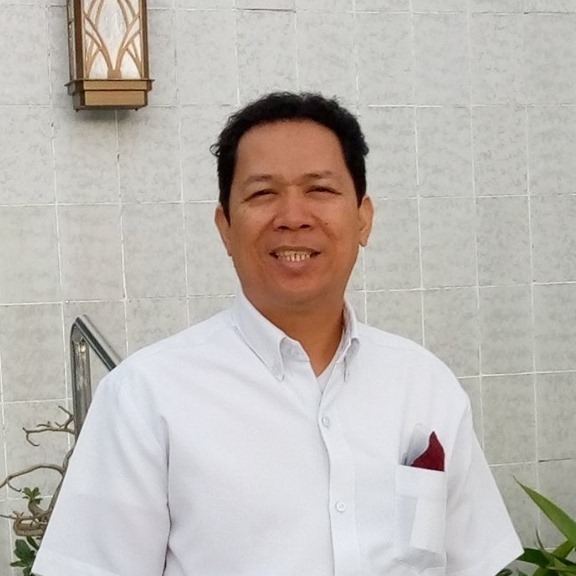
Oliver Bugarin – A blog writer with over a decade of experience in WordPress website creation and management, and creating articles on lifestyle, travel, technology, business, finance, and wellness. He is known for producing clear, engaging articles that resonate with readers and add value to any blog or website.
Contact him for collaborations or content writing opportunities. Facebook – LinkedIn
.
Save/Share this story with QR CODE
Disclaimer
This article is for informational purposes only and does not constitute endorsement of any specific technologies or methodologies and financial advice or endorsement of any specific products or services.
Contact Lead Media News
📩 Feel free to Contact Lead Media News for suggestions, collaborations, reviews, or anything else.