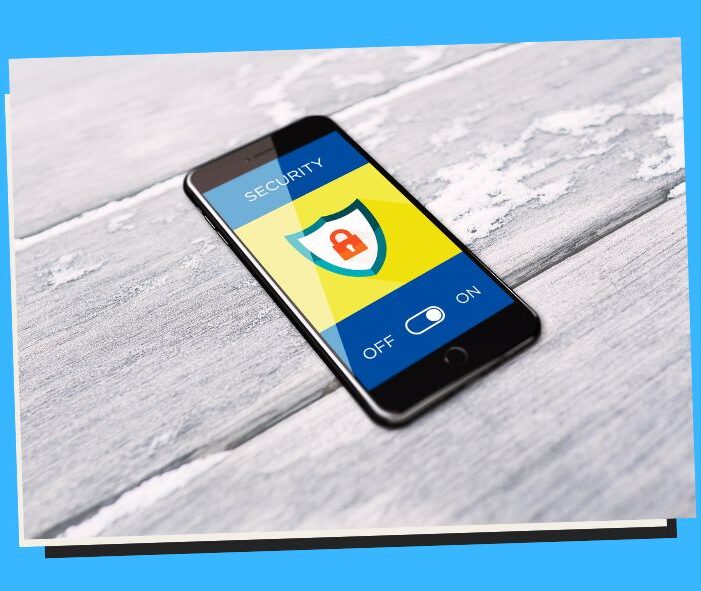
Stay Safe While You Pay: Online Payment Security in the Philippines
Are your e-wallet and bank apps really secure? Discover the state of online payment safety in the Philippines.
💳 How to Ensure Payments Online Security in the Philippines: A Smart Guide for Digital Buyers & Sellers 🇵🇭🔐
In the fast-paced world of online shopping, cashless transactions, and mobile wallets, online payment security is no longer a luxury, it’s a necessity. As Filipinos increasingly embrace digital platforms for everything from shopping to food delivery and freelance gigs, it’s crucial to understand how to protect your money and personal data online.
The Philippines is one of Southeast Asia’s fastest-growing digital economies, but is also one of the most targeted by cybercriminals. In this blog post, we’ll show you how to protect your online payments, provide actionable tips, and highlight the top 10 benefits of staying secure.
🇵🇭 The Rise of Online Payments in the Philippines
The digital transformation in the Philippines accelerated during the pandemic, and it hasn’t slowed down. Here’s what’s booming:
- 📱 Over 80% of internet users shop online (Statista, 2024)
- 🏦 Mobile wallet apps like GCash, Maya, and ShopeePay are household names
- 🛒 eCommerce sales are projected to hit $24 billion by 2026
- 💸 More Filipinos now pay bills, transfer funds, and invest digitally
While this shift is convenient, it has also led to a surge in cyber fraud, phishing scams, fake payment pages, and identity theft.
⚠️ Common Threats to Online Payment Security
Before we dive into how to protect yourself, here are common threats to be aware of:
- Phishing Emails or Texts pretending to be from legit apps (e.g., GCash, BPI)
- Fake E-commerce Sites tricking you into entering your card or wallet info
- Malware & Keyloggers stealing credentials as you type them
- Unsecured Wi-Fi Networks are making you vulnerable in public places
- SIM Swap Attacks: gaining access to your mobile banking apps
Staying vigilant is key, but so is using the right tools and best practices.
🧰 How to Secure Your Online Payments: A Step-by-Step Guide
1. ✅ Use Trusted Payment Platforms
Stick to well-known, verified apps like GCash, Maya, PayPal, or bank-verified payment gateways. Avoid sketchy sites or unknown mobile wallets.
💡 Pro Tip: Always download apps from official app stores, and double-check for fake lookalike apps.
2. 🔒 Enable Two-Factor Authentication (2FA)
Two-factor authentication adds a second layer of security, usually a one-time code via SMS or app, making it harder for hackers to break in.
💡 Turn on 2FA on your banking apps, e-wallets, and e-commerce accounts.
3. 🧠 Create Strong, Unique Passwords
Avoid obvious combinations like “123456” or “password”. Use a mix of uppercase, lowercase, numbers, and symbols.
💡 Use password managers like Bitwarden or LastPass to generate and store complex passwords securely.
4. 📶 Avoid Public Wi-Fi for Transactions
Never make payments while connected to public Wi-Fi at cafés, malls, or airports. Use a VPN or mobile data instead.
💡 Public networks are easily intercepted by hackers using “man-in-the-middle” attacks.
5. 🛡️ Keep Devices Secure
Always update your smartphone, browser, and apps. Updates fix security holes that hackers can exploit.
💡 Install reliable antivirus or anti-malware software, even on mobile.
6. 📵 Beware of Phishing and Scams
Scammers often pose as delivery companies, banks, or government agencies to trick you into entering personal information.
💡 Double-check sender addresses. Don’t click on suspicious links. When in doubt, contact the provider directly.
7. 🧾 Monitor Transactions Regularly
Check your bank statements, e-wallet history, and credit card logs. Watch out for unauthorized small charges, they’re often test transactions by fraudsters.
💡 Set up transaction alerts via SMS or email for real-time updates.
8. 🛒 Shop Only on Secure Websites
Always look for “https://” and a lock icon in your browser’s address bar. These indicate a secure connection.
💡 Be cautious of deals that seem “too good to be true.” They usually are.
9. 🧾 Use Virtual Cards for Online Shopping
Some banks offer virtual debit/credit cards that you can lock, limit, or delete after use. These are ideal for one-time purchases.
💡 Services like UnionBank, Security Bank, and GCash Mastercard offer this feature.
10. 🧑💻 Educate Yourself and Your Team
If you’re a seller or freelancer, make sure you and your staff understand cyber hygiene practices, secure invoicing, and payment tracking.
💡 The DICT regularly conducts free cybersecurity webinars for MSMEs and online professionals.
✅ Benefits of Securing Your Online Payments
Let’s break down the biggest advantages of online payment security in the Philippines:
1. 💰 Financial Protection
Avoid unauthorized transactions, chargebacks, and potential bank account drainage.
2. 🧍♂️ Identity Theft Prevention
Keep your personal details, contact info, and ID numbers safe from hackers and scammers.
3. 🧘♀️ Peace of Mind
Feel more confident using digital tools for everyday transactions, whether for bills, shopping, or freelancing.
4. 📈 Business Credibility
If you’re a seller or service provider, customers will trust you more if they see secure payment systems in place.
5. 🧑⚖️ Compliance with Local Regulations
Being secure helps you comply with the Data Privacy Act of 2012 (RA 10173) and BSP Circulars on e-money safety.
6. 📱 Smoother Mobile Wallet Experience
Protected accounts = no surprise blocks or freezes from suspicious activity.
7. 🚫 Minimized Fraud Risk
Avoid being a victim of phishing, carding, and other payment scams.
8. 🤝 Trust Between Buyer and Seller
When both sides feel safe, transactions become faster, smoother, and repeatable.
9. 🔐 Safer Subscriptions and Recurring Payments
Lock down auto-billing services and stop unauthorized renewals.
10. 🧠 Increased Digital Confidence
Understanding payment safety empowers you to make more strategic financial decisions online.
🛒 For Online Sellers & Freelancers: Extra Tips
If you sell on Lazada, Shopee, Facebook Marketplace, or via GCash, here are a few must-dos:
- ✅ Use verified payment channels only (no “meetups” for down payments!)
- 📤 Send secure invoice links (e.g., PayPal or Maya)
- 💼 Keep personal and business accounts separate
- 🔍 Vet buyers and clients (ask for proof of ID or references if needed)
- 🧾 Always keep a digital paper trail
🏦 What Are Philippine Banks and E-Wallets Doing?
Banks and fintech companies in the Philippines are stepping up security, but users must also be proactive. Here’s what they offer:
- 🔐 OTP Authentication (e.g., GCash, Maya, BPI)
- 🧩 Face ID / Biometrics for app login
- 📢 Fraud detection systems that auto-block suspicious transactions
- 📵 SIM card lock features via Telcos (e.g., Smart, Globe)
Still, according to BSP, fraud losses in e-wallets exceeded ₱300 million in 2023 alone. Staying vigilant is everyone’s job.
✅ Pros of Payments Online Security in the Philippines
- Convenient Transactions Anytime, Anywhere 🌍 No need to visit banks or payment centers, transactions happen in real-time 24/7.
- Faster Checkout for E-Commerce 🛒 Secure APIs and auto-fill fields allow for quicker shopping experiences.
- Improved Record-Keeping 📑 Every transaction is digitally logged, helping both consumers and businesses track expenses.
- Enables Financial Inclusion 🤝 Remote areas can access payment platforms without physical infrastructure.
- Reduces Physical Theft Risks 🚫💰 No more carrying large amounts of cash, your digital wallet has your back.
- Supports Government Cash Aid and Services 🇵🇭 Secure digital platforms are used to distribute Ayuda (financial aid), SSS, and PhilHealth.
- Boosts E-commerce Growth 📈 A secure payment environment encourages both sellers and buyers to go digital.
- Easy Integration with Banking Systems 🏦 Online payments link directly with BPI, BDO, UnionBank, and more.
- Security Layers Like OTP & Biometrics 🔐 Two-factor authentication (2FA), fingerprint, and face recognition are now standard.
- Trusted by Millions of Filipinos ✅ As of 2024, over 70 million e-wallet users in the country rely on digital payments.
❌ Cons or Risks of Online Payment Security
- Phishing and Smishing Scams 🐟 Fraudsters impersonate brands to trick users into sharing login or card details.
- Fake Payment Gateways ⚠️ Cybercriminals create lookalike payment pages to steal information.
- Unsecured Wi-Fi Transactions 🌐 Paying over public internet puts sensitive data at risk.
- Account Takeovers 👤❌ Weak passwords or compromised OTPs can lead to identity theft.
- Skimming and Card Cloning 💳 Some malicious apps steal card info upon input.
- Lack of Awareness or Education 🧠 Many users unknowingly approve fraudulent links or downloads.
- Unregulated E-Commerce Sellers 🛍️ Small online shops may use insecure or unverified payment methods.
- Data Breaches on Payment Platforms 📉 Even legit platforms can be compromised by hackers.
- Slow Dispute Resolution 😓 Getting refunded for fraud can take weeks, especially from overseas vendors.
- Social Engineering Tricks 🧠🎭 Scammers often manipulate emotions or urgency to gain trust and access.
📊 Case Studies from the Philippines
- 2022 GCash Phishing Attack 🎣 Hundreds of users lost funds after clicking links from fake customer service agents via SMS.
- 2023 Fake Shopee Payment Link 🧾 Hackers used a bogus ShopeePay site to steal credit card data from over 5,000 users.
- 2021 LBC Pay QR Code Scam 🧾🚫 QR codes were replaced at drop-off points, leading to unauthorized payments.
- 2024 Facebook Marketplace Scam 📦 Buyer sent payment via GCash, but the seller’s account was fake, and no goods were delivered.
- BDO Breach in 2022 🏦💀 Over 700 customers lost money due to a coordinated malware and phishing attack.
- Pag-IBIG Online Portal Data Leak (2023) 🏠 Payment info was exposed through weak encryption during online loan repayments.
- Instagram Influencer Fake Raffle 🎁 The winner was asked to “confirm identity” via a payment link, money was lost, and no raffle existed.
- Ride-Hailing App Card Fraud 🚗💳 A ride-sharing account was hacked, and card details were misused for international transactions.
- Online Tuition Payment Misrouting (2022) 🎓 Payment to a university landed in a hacker’s account due to URL spoofing.
- BPI Express Online Breach (2019) A vulnerability led to short-term disruption and potential exposure of account data.
💡 Key Takeaways
- Always verify URLs and sender emails before entering payment information.
- Use secure Wi-Fi or mobile data when transacting online.
- Never share OTPs, even with “customer service agents.”
- Enable biometric login or 2FA on all e-wallet and banking apps.
- Use virtual cards or wallets for online shopping to avoid exposing your main card.
- Check for HTTPS 🔒 on payment pages before inputting details.
- Avoid saving card details on untrusted websites.
- Install anti-malware apps and keep your phones updated.
- Report fraud immediately to banks or e-wallet providers.
- Educate yourself and others about common online fraud tactics.
❓ FAQs and Answers
1. Is it safe to pay online in the Philippines?
✅ Yes, when you use verified platforms like GCash, Maya, BDO, or ShopeePay, and follow security best practices.
2. What is the safest way to pay online?
💡 Use credit cards or virtual wallets with fraud protection and 2FA.
3. What should I do if I clicked a suspicious payment link?
🚨 Change passwords, contact your bank or e-wallet, and monitor for unauthorized transactions.
4. Are mobile wallets like GCash and Maya secure?
📲 Yes, if you enable biometrics, 2FA, and never share OTPs.
5. Can I dispute fraudulent online transactions?
🧾 Yes, banks and e-wallets have refund and dispute systems, but timing and proof are crucial.
6. What is phishing in the context of payments?
🎣 It’s when scammers send fake links or emails to steal your login or payment info.
7. How can I tell if a payment page is secure?
🔐 Look for HTTPS and padlock symbols in the browser address bar.
8. What is a virtual card?
💳 A digital version of a card that you can use for one-time or specific purchases.
9. Are QR code payments secure?
✅ Yes, but always double-check if the QR is legitimate and not tampered with.
10. Who do I contact in the Philippines for digital fraud complaints?
📞 Reach out to the Cybercrime Investigation and Coordinating Center (CICC) or the National Privacy Commission (NPC).
💬 Conclusion
As the Philippines embraces the cashless future, staying cyber-safe is no longer optional. Whether you’re a daily GCash user, an online seller, or a digital nomad, understanding how online payments work, and how they can go wrong is essential.
🛡️ Online security isn’t about being paranoid, it’s about being prepared. When you secure your payments, you’re not just protecting your money, you’re protecting your future.
🔗 Trusted Link Resources
- Bangko Sentral ng Pilipinas (BSP) – E-Payment Standards
- Cybercrime Investigation and Coordinating Center (CICC)
- National Privacy Commission (NPC)
- GCash Security Tips
- BPI Cybersecurity Awareness Hub
🧠 Key Phrases
- online payment security Philippines
- secure digital transactions PH
- e-wallet safety tips
- cybercrime prevention for online payments
- safe mobile banking Philippines
- digital fraud protection
- secure online shopping PH
- cashless transaction risks
- encryption in e-payments
- fintech cybersecurity in the Philippines
📢 Best Hashtags
- #OnlinePaymentSecurity
- #SecureTransactionsPH
- #CyberSafePH
- #eWalletSafety
- #DigitalSecurityPH
- #CashlessConfidence
- #PHFintech
- #SafePaymentsPH
- #CyberAwarePH
- #ProtectYourMoney

Oliver Bugarin – A blog writer with over a decade of experience in WordPress website creation and management, and creating articles on lifestyle, travel, technology, business, finance, and wellness. He is known for producing clear, engaging articles that resonate with readers and add value to any blog or website.
Contact him for collaborations or content writing opportunities. Facebook – LinkedIn
.
Save/Share this story with QR CODE
Disclaimer
This article is for informational purposes only and does not constitute endorsement of any specific technologies or methodologies and financial advice or endorsement of any specific products or services.
Contact Lead Media News
📩 Feel free to Contact Lead Media News for suggestions, collaborations, reviews, or anything else.